matplotlib.colormaps['tab10']tab10

under
bad
over
plottingmatplotlib.colormaps['tab10']print(cmaps['Cyclic'])
matplotlib.colormaps[cmaps['Cyclic'][2]]['twilight', 'twilight_shifted', 'hsv']
print(cmaps['Sequential'])
matplotlib.colormaps[cmaps['Sequential'][-1]]
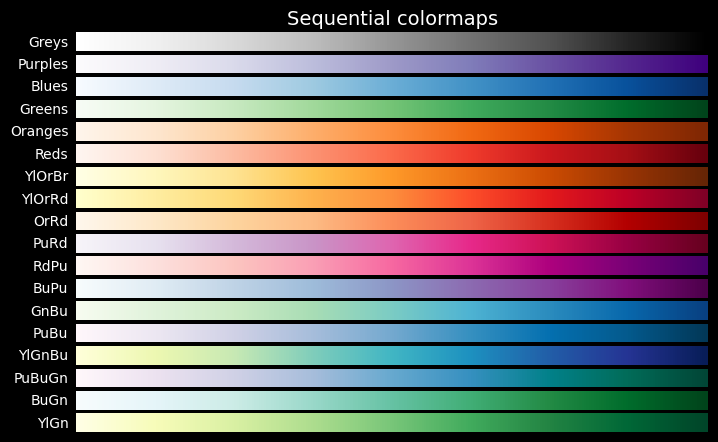
['Greys', 'Purples', 'Blues', 'Greens', 'Oranges', 'Reds', 'YlOrBr', 'YlOrRd', 'OrRd', 'PuRd', 'RdPu', 'BuPu', 'GnBu', 'PuBu', 'YlGnBu', 'PuBuGn', 'BuGn', 'YlGn']
def plot_cmap_collections(
    cmap_collections:str | list[str]=None, # list of color map collections to display (from cmaps.keys())
):
Plot all color maps in the collections passed as cmap_collections
The following color map collections are defined:
- Cyclic
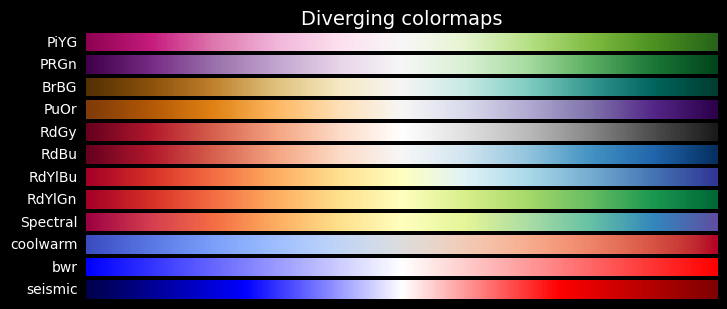
- Diverging
- Miscellaneous
- Perceptually Uniform Sequential
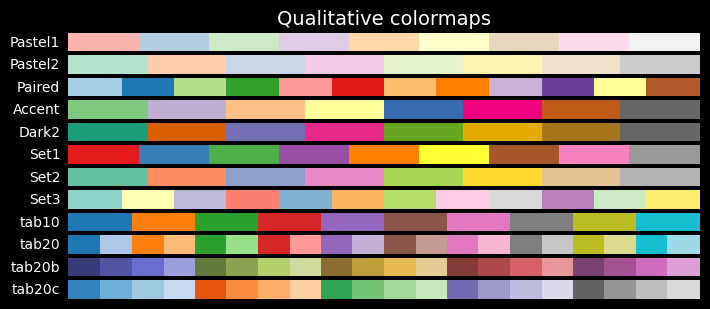
- Qualitative
- Sequential
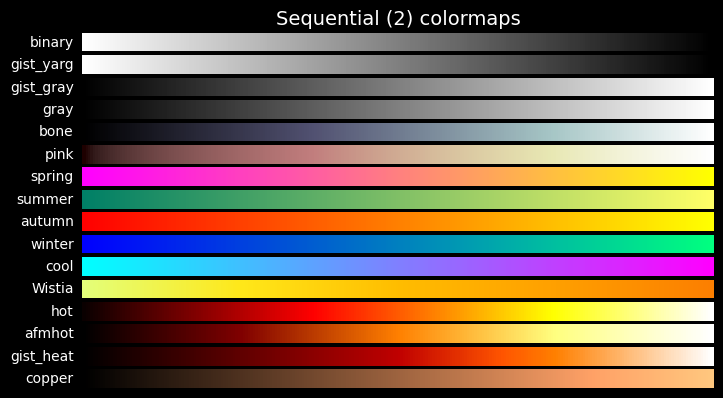
- Sequential (2)
plot_cmap_collections will plot a color bar for each color map in the selected collections:
plot_cmap_collections('Cyclic')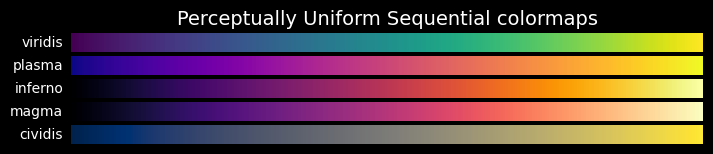
plot_cmap_collections(['Qualitative', 'Sequential'])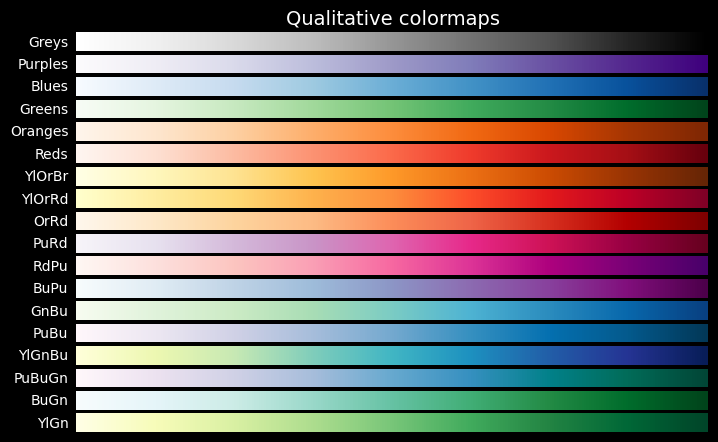
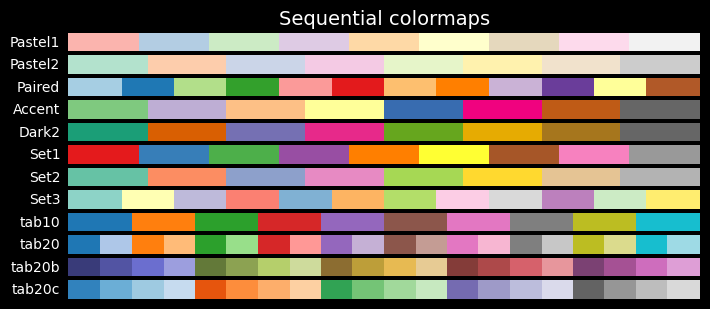
plot_cmap_collections()

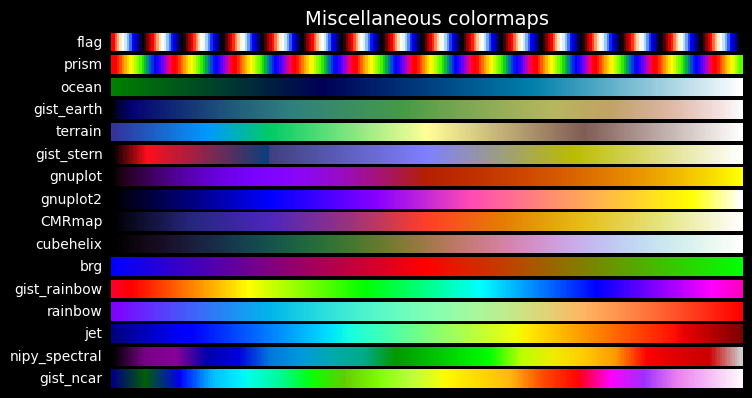
def plot_color_bar(
    cmap:str, # string name of one of the cmaps
    series:list[Union[int, float]]=None, # series of numerical values to show for each color
):
Plot a color bar with value overlay from series based on cmap
Technical note: Adapts the label color to the background color for readibility. To do so it computes the relative luminance as: L = 0.2126 * R + 0.7152 * G + 0.0722 * B Use black text when L > 0.5, otherwise white text.
plot_color_bar('tab10', range(10))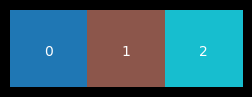
plot_color_bar('tab10', series=range(6))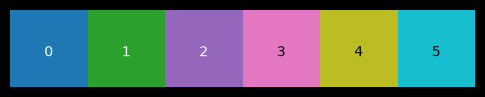
plot_color_bar('tab10', series=[0, 1, 2])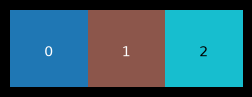
plot_color_bar('Greens', range(17))
def get_color_mapper(
    series:list[Union[int, float]], # series of values to map to colors
    cmap:str='tab10', # name of the cmap to use
):
Return color mapper based on a color map and a series of values
This function is used to ensure coherent colors for different plots.
clr_mapper = get_color_mapper([1, 2, 3, 4], cmap='Paired)clr_mapper.to_rgba(2)Let’s take a dataset \((X,y)\), generated by sklearn using make_blob for 5,000 samples with 6 features each and grouped in 10 centers. The \(X\) and \(y\) are saved as npy file
import pandas as pd
with open('data-dev/ten-blobs-6-cols-X.npy', 'rb') as fp:
    X = np.load(fp)
with open('data-dev/ten-blobs-6-cols-y.npy', 'rb') as fp:
    y = np.load(fp)

n_feats = X.shape[1]
col_list = [f"col_{i}" for i in range(n_feats)]

X = pd.DataFrame(X, columns=col_list)
X.head(3)| col_0 | col_1 | col_2 | col_3 | col_4 | col_5 | |
|---|---|---|---|---|---|---|
| 0 | 8.714921 | 0.580067 | 6.817529 | -4.891837 | -0.418419 | -4.127050 |
| 1 | -0.322263 | -3.901781 | -8.588875 | 1.114151 | 4.908420 | -2.475176 |
| 2 | -7.798702 | -4.276232 | -1.145314 | -6.619232 | -9.232606 | 6.994045 |
We have clustered the 5,000 sample of \(X\) into 10 clusters (saved into a clusters.npy file)
Now we want to make a scatter plot of two of the features, displaying the 10 cluster using a cmap.
To ensure that we can keep the same cluster color mapping for other plots, we use clr_mapper to predefine how colors are mapped to each cluster:
clr_mapper = get_color_mapper(cluster_ids, cmap=cmap).# Load clustered data from the blobs
with open('data-dev/ten-blobs-6-cols-clusters.npy', 'rb') as fp:
clusters = np.load(fp)
cluster_ids = np.unique(clusters)
cluster_idsarray([0, 1, 2, 3, 4, 5, 6, 7, 8, 9], dtype=int32)cmap='tab10'
fig, (ax1, ax2) = plt.subplots(nrows=1, ncols=2, figsize=(14, 3))
im1 = ax1.scatter(X.col_0, X.col_1, c=clusters, s=2, cmap=cmap)
ax1.set_title('2 first features, colored by cluster value')
fig.colorbar(im1)
im2 = ax2.scatter(X.col_4, X.col_5, c=clusters, s=2, cmap=cmap)
ax2.set_title('2 last features, colored by cluster value')
fig.colorbar(im2)
plt.show()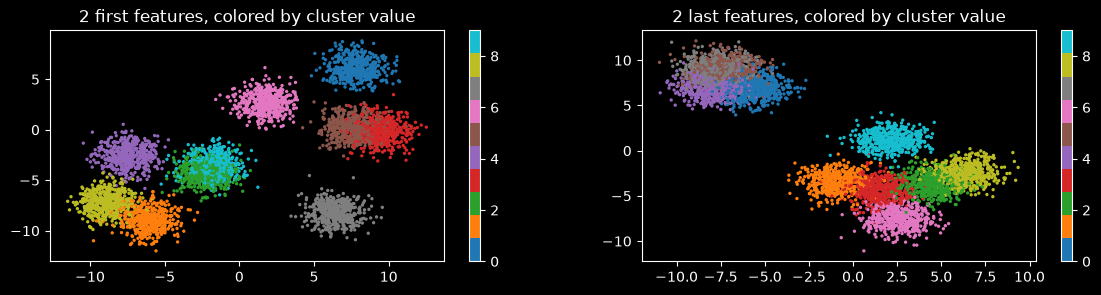
clr_mapper = get_color_mapper(cluster_ids, cmap=cmap)Use for another plot, showing another feature, and its value for each sample, colored according to its cluster
featname = 'col_4'
plt.figure(figsize=(12, 3))
plt.plot(X[featname], c='grey', alpha=.66, lw=0.25)
plt.title(f'{featname}.')
plt.show()

plt.figure(figsize=(12, 3))
plt.plot(X[featname], c='grey', alpha=.5, lw=0.1)
for c in cluster_ids:
    mask = y == c
    X[f"{featname}_{c}"] = X.loc[:, featname]
    X.loc[~mask, f"{featname}_{c}"] = np.nan
    plt.plot(X[f"{featname}_{c}"], label=str(c), c=clr_mapper.to_rgba(c), lw=0, marker='o', markersize=1)
plt.title(f'{featname}. Data points colored according to the cluster it belongs to.')
plt.legend()
plt.show()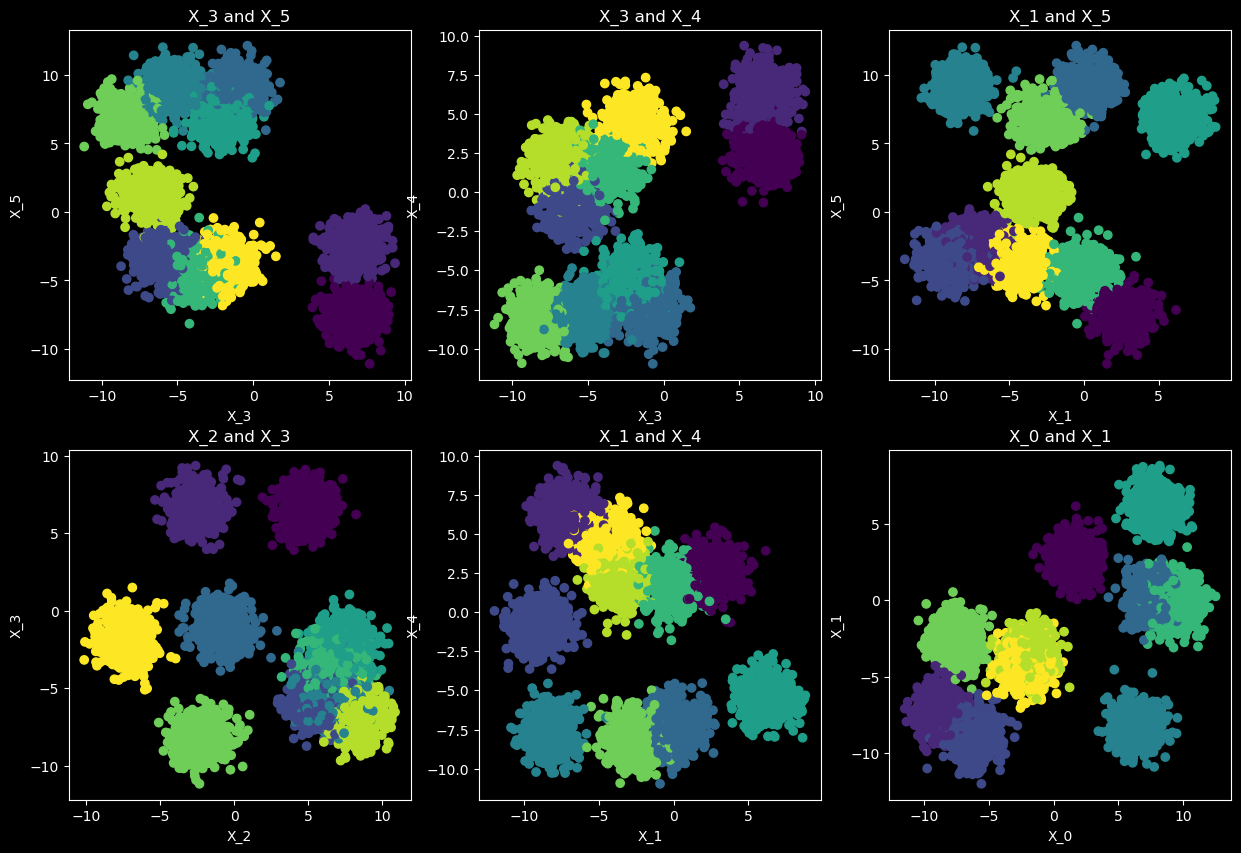
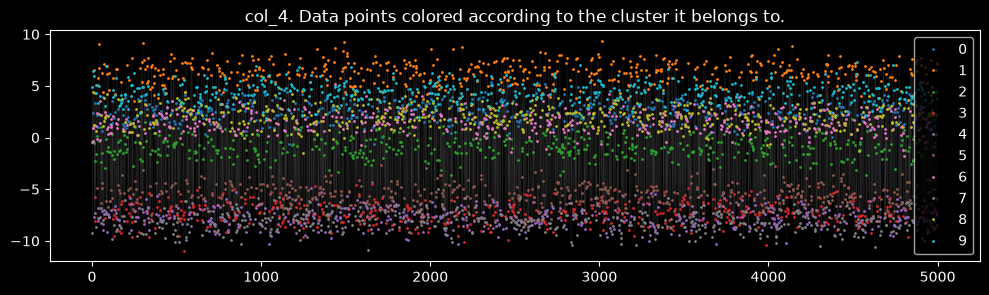
def plot_feature_scatter(
    X:np.ndarray, # input dataset. `X.shape[1]` is used to set the total number of features
    y:Optional[np.ndarray]=None, # target dataset
    n_plots:int=2, # number of feature pairs scatter plot to show
    axes_per_row:int=3, # number of axes per row. number of rows will be calculated accordingly
    axes_size:int=5, # size of one axes. figsize will be (ncols * axes_size, nrows * axes_size)
):
Plots n_plots scatter plots of randomly selected combinations of two features out of X
X.shape(5000, 16)with open('data-dev/ten-blobs-6-cols-X.npy', 'rb') as fp:
X = np.load(fp)
with open('data-dev/ten-blobs-6-cols-y.npy', 'rb') as fp:
y = np.load(fp)
n_feats = X.shape[1]
col_list = [f"col_{i}" for i in range(n_feats)]
X = pd.DataFrame(X, columns=col_list)
plot_feature_scatter(X.values, y, n_plots=6, axes_per_row=3, axes_size=5)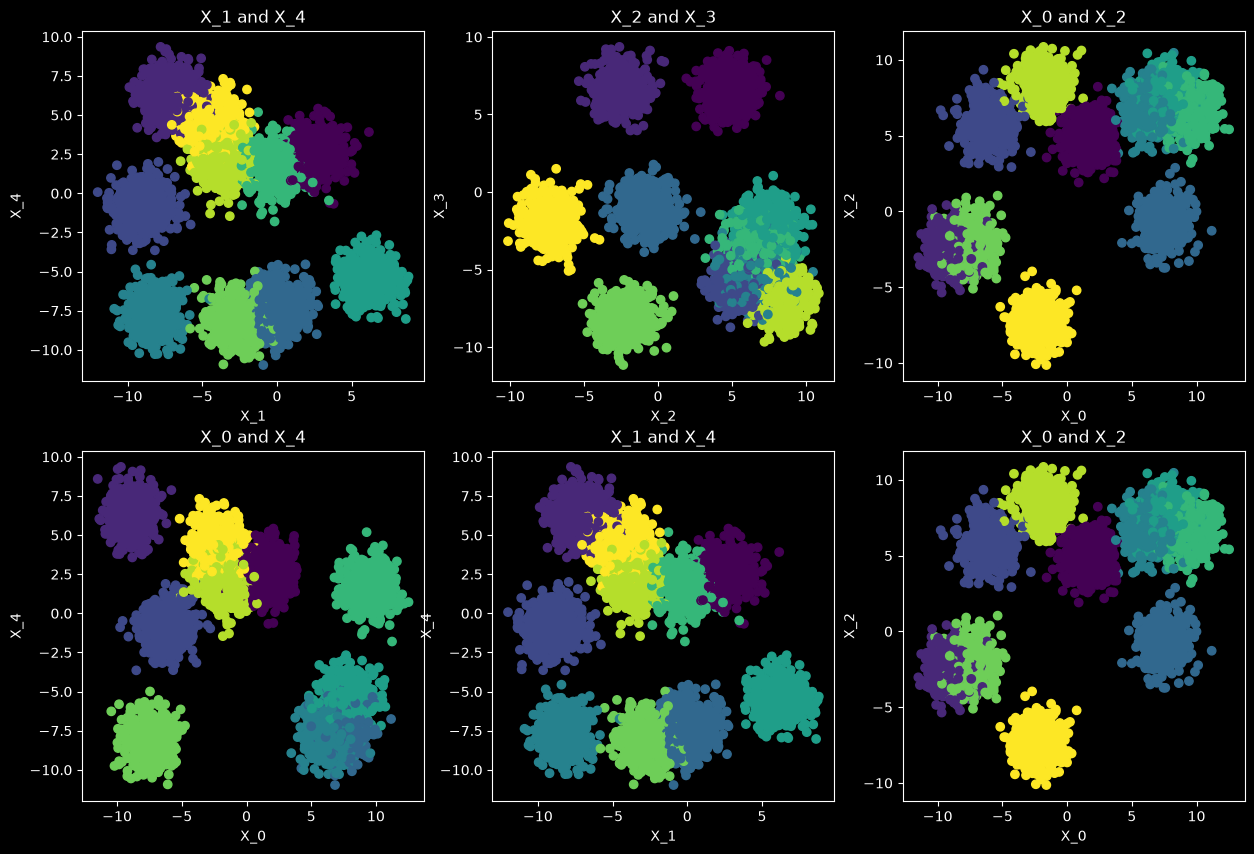
When not value is available for y, it is set to 1 by default
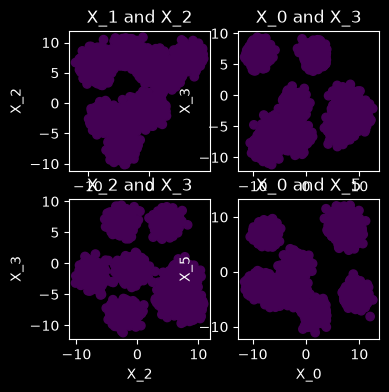
plot_feature_scatter(X.values, n_plots=4, axes_per_row=2, axes_size=2)